- Softonic Rating:
- Excellent:9/10
- License:
- Free
- Added:
- May 25, 2007
- Updated:
- February 19, 2008
- Publisher:
- Website
- File size:
- 21.6 MB
- Downloads:
- 33,487
- DownloadFree
“Add a brand new Vista appearance to your Windows XP”
by Elena Santos
So you want to have Windows Vista, but you don't want to give up Windows XP yet and – of course - you don't want to spend a single cent on it. Believe it or not, we have the solution!
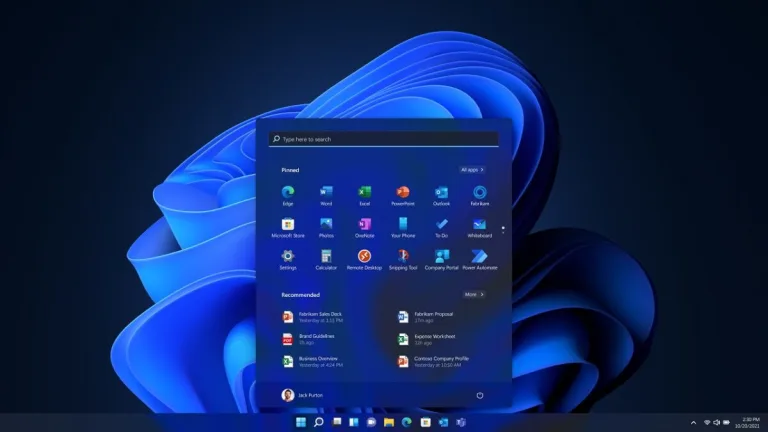
The answer to your prayers is called Vistamizer and it's a complete theme that will transform your current Windows XP system into a brand new Vista with all the 3D effects, transparencies, shiny icons and other eye candy. Don't worry, Vistamizer is just a Vista disguise for XP; the system core files and backbone will still be XP.
After trying a few Vista themes for XP, I was really glad to find Vistamizer, just because it's so easy to install! Unlike other similar tools, which demand external applications, third-party libraries and other strange elements, Vistamizer includes just about everything you need to have it up and running in no time. Installing it is a question of pressing on the "Next" button a few times, rebooting and you're done. Uninstallation is also very easy: as the program creates a restoration point, you won't have any problems to go back to the good ol' XP if you ever grow tired of Vista's style.
Vistamizer lets you select exactly which elements to install and which ones not. The list includes not only Vista graphical elements, but also some extra apps that reproduce Vista's features such as the sidebar, the toolbat tooltips or the 3D effect to switch between running applications. Note that if you want to uninstall any of these later on, you'll have to open the Control Panel and start the Vistamizer uninstalling process, as there's no visual interface from which to manage installed components.
On the downside, I noticed some icons don't show properly, for instance in the Start menu and My Documents folder. But in my opinion these are just minor flaws in a full featured theme that can transform Windows XP into Vista in a couple of clicks.
Vistamizer is one of the best Vista themes for Windows XP available today: it's very easy to install, lets you choose what elements and apps should be included and the final output is pretty much the closest you can get to Vista in Windows XP.
Languages:
English
Recent changes in VistaMizer:
- Complete theme overhaul (display error corrected, fonts converted and the various shell styles improved)
- High-resolution animations for copying, moving and deleting included are back
- Startup has been integrated
- Improved icons and bitmaps
- Single bug in the installer and uninstaller resolved
- Problem with the takeover of the sounds, wallpaper, etc. resolved
- Errors in the de-installation routine resolved
- Complete overhaul of the logon screen (much closer to the original Vista, and Safe mode should also work)
- Complete overhaul of True Transparency Designs (now also a theme, VistaMizedDark)
- VistaMize review of the theme (now back with a higher start-Orb)
- Review of the copying, moving and deleting dialogues (animation is not rigid now)
- Upgrade of the additional applications on the current version
- Error corrected in Visual Task Tips
- New additional application Blaero start Orb (replaces ViOrb)
- ViStart additional application has been removed (Because of the 2nd developer and the fact that the program is still causing problems)
- Improved installation and de-installation routine
- Other small fixes
OS requirements for VistaMizer:
- OS: WinXP/2003
- Very easy to install
- Creates a restoration point for a safer uninstall
- You can select which elements to include in installation and which ones not
- Includes many extra applications
- Some icons still don't show properly
- There's no graphical interface to manage extra apps and other elements
Featured program
Softonic gives special recognition to software of exceptionally high quality. More information
From the publisher of VistaMizer
With VistaMizer you can keep your good ol' Windows XP operating system while enjoying a brand new, true Vista look. In addition to changing the whole desktop appearance, more than 300 files are replaced with new icons, pictures and videos. This means that VistaMizer does not provide its own files, but modifies those of your system which you select during the installation process.
In any case, VistaMizer is optimized to get over compatibility issues and therefore ensures that the system doesn't become unstable due to the changes. And if you're not satisfied by the results or simply want to go back to XP, you have the possibility to return to your old system by running VistaMizer's uninstallation feature.
Take a look at what the program features:
- Modifies your own system files
- Free choice of the files you want to change
- Multilingual support
- Compatibility check during installation
- Backup of the original system files
More VistaMizer screenshots
Posts about VistaMizer in our blog
- How to transform Windows XP into Windows Vista by Elena Santos
- Get Vista style for free with VistaMizer by Elena Santos
Sponsored Links
User opinions about VistaMizer (6)
Sort opinions by:
Programs similar to VistaMizer
VistaMizer options
Reviews for VistaMizer in other languages
- VistaMizer (Testbericht auf Deutsch)
- VistaMizer (Análisis en español)
- VistaMizer (Le test en français)
User Rating
32 ratings- Usability
-
- Currently 8/10.
- Stability
-
- Currently 8/10.
- Installation
-
- Currently 8/10.
- Functionality
-
- Currently 8/10.
- Appearance
-
- Currently 9/10.


Found a couple of minor bugs
Possibly check these two points: 1 - Progress bar: if overlapped on the left by another window, the bar start from the edge of overlapping window instead of bar left side. 2 - Quick launch: Icons a... read more
nice
This is one of the kind skin with everything in it, just like what im using right now the Transformation Pack 8.0.1 + Vista Customize Pack 3 + Crystal Clear Bricopack 1.0 + Thoosje Sidebar + TopDes... read more
Problem with Spyware Doctor !!
about VistaMizer - 17 Jul 2008it's a great theme and pretty, but i have a little problem After i installed the THEME i turned on Spyware Doctor but the system getting so slowly !! When i shutdown the Spyware Doctor everything ... read more
The best thing ever made
vistamizer 2.2.10 is the best thing ive ever got and as a theme which is graphically so good it functions very good and and and i dont know what to say....... read more
vista
goodsoftwear dut notstabel... read more
Download VistaMizer